


Pay $0 in months with no orders
No orders completed = no billing

300+ Integrated ValueLink Lenders & AMCs

Centralized Platform for All Your Appraisal Orders

Enhance Your Appraisal Profile & Build Client Trust
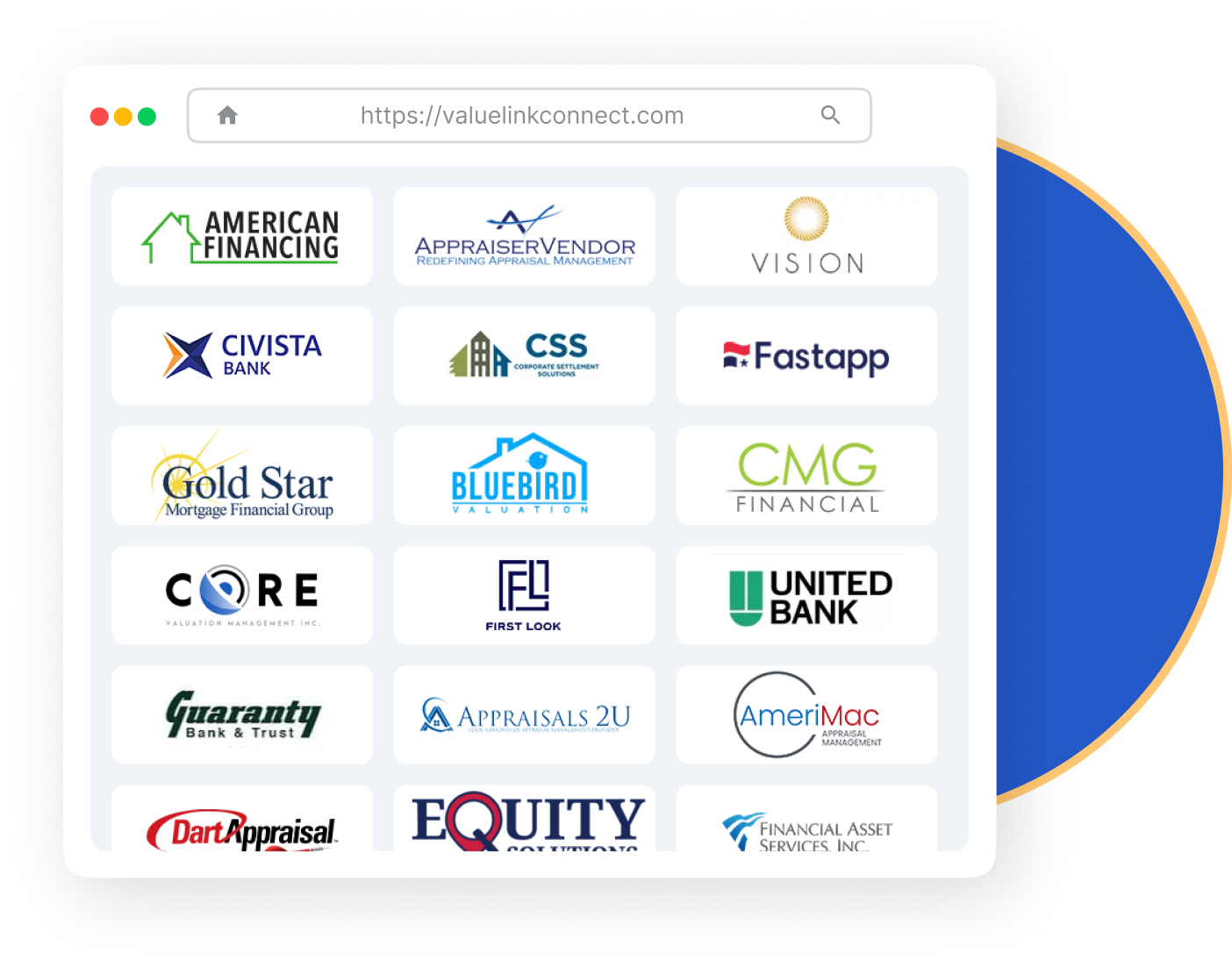
Get visibility to a network of 300+ lenders and AMCs. Receive unlimited orders from our integrated directory and get to create manual orders for non-integrated clients. Expand your business without limitations.
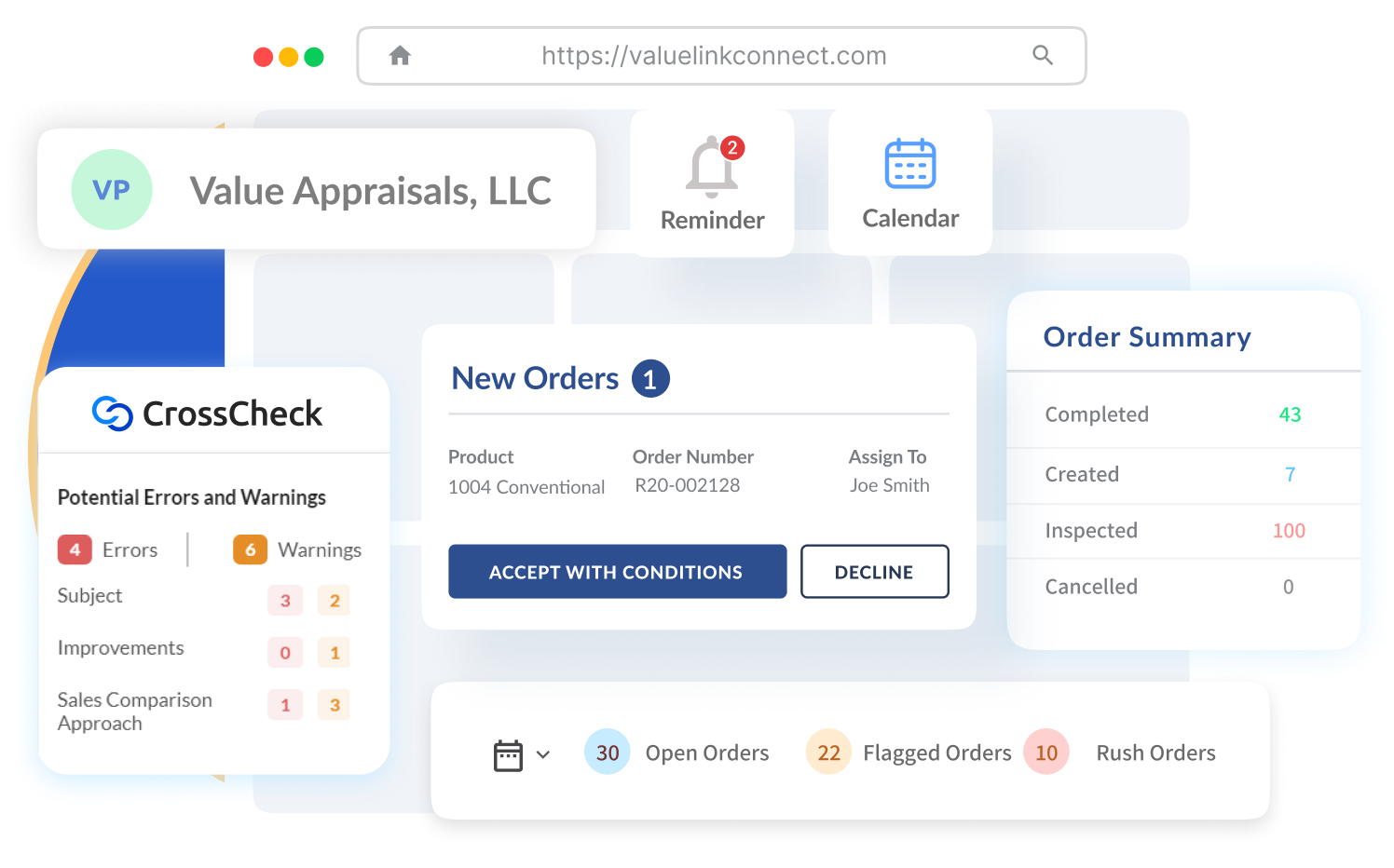
All your orders in a single dashboard. Track progress, schedule inspection times, and communicate with clients. Automated Report Reviews with CrossCheck offer you 1,000+ UCDP & EAD compliance rules, to reduce revisions and save time.
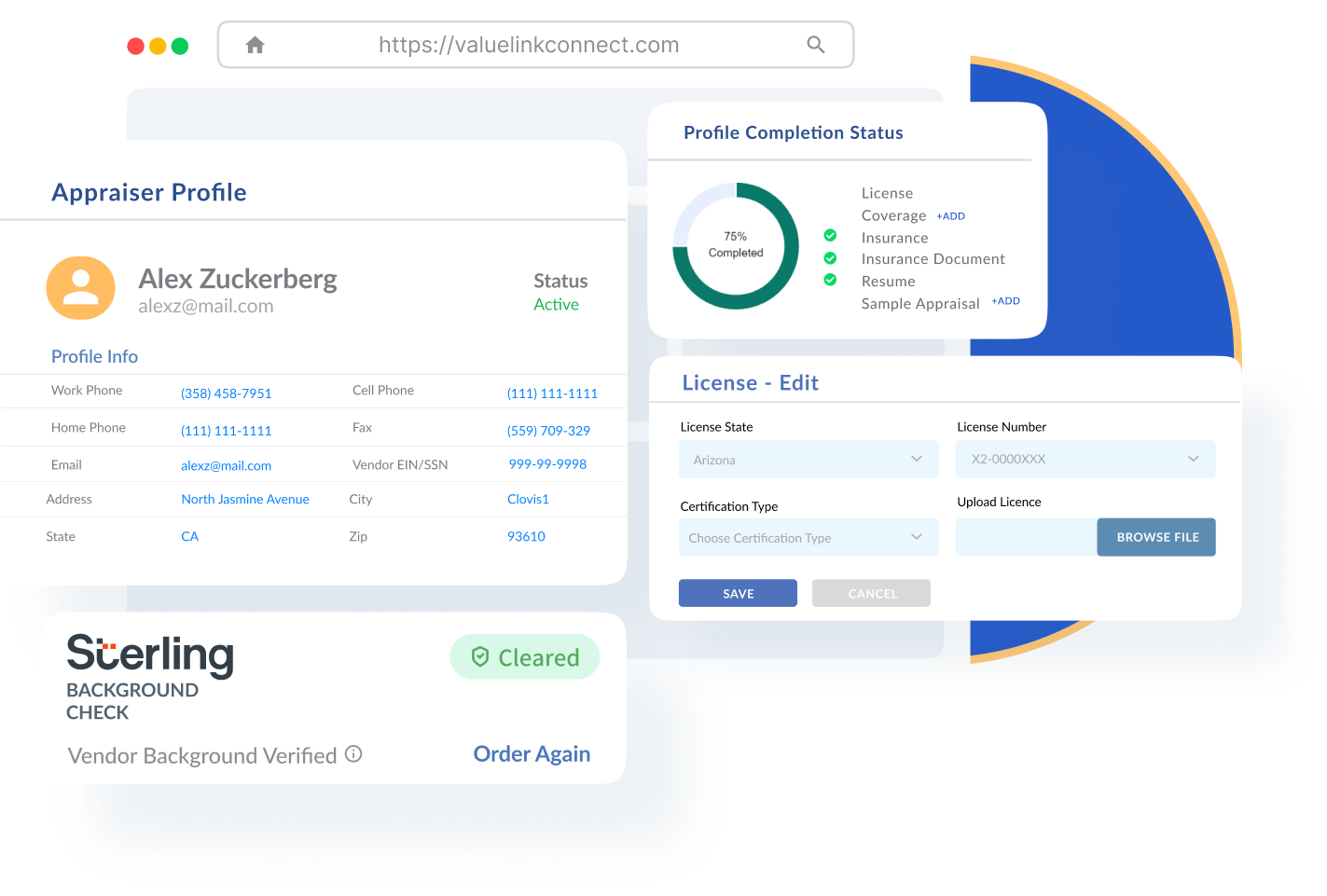
One profile for all your clients. Keep it updated with your licenses, certifications, and insurance. Perform client-requested Background Checks powered by Sterling directly within Connect. Track your profile completion percentage to strengthen your profile for clients.
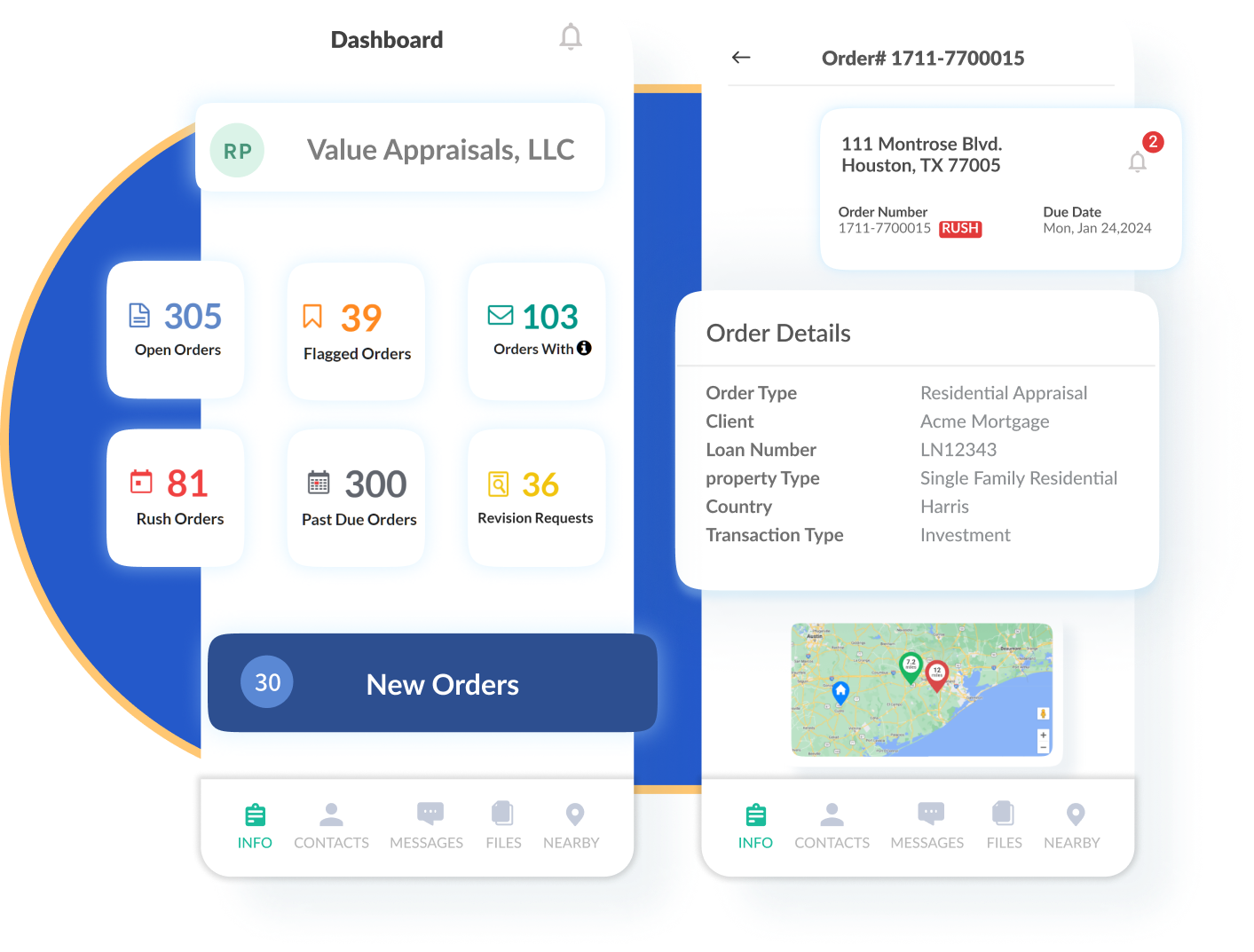
With Connect’s mobile app, stay connected no matter where you are. Manage orders, see scheduled inspections, track order statuses, and stay updated with real-time notifications—whether you’re in the office or out in the field.


Integrate with ValueLink Client Network of 300+ Lenders & AMCs
Manage & Receive Orders from Integrated Valuelink Clients
Create & Manage Internal (Manual) Orders
Perform Independent Background Check Powered by Sterling 🆕
Advanced Map View with Assignments & Inspection Scheduler
Calendar View with Inspection Scheduler
Access to Knowledge Base Tools & Video Tutorials
Receive & Manage Bid
Requests
Manage Product Types
Vacation & Busy Scheduler
Automated Order Alerts
Android, iOS Application
Receive & Manage Broadcast Orders
Automated Vendor Alerts
Manage Order Types
Google Calendar Integration
15+ Business Analytics Reports
Monthly Progress Reports 🆕
Client Tech Fee Tracking
Client Billing Statements
Product Fee Schedules
Geographical Fee Schedules
Manage Account Receivables & Payables
XML PDF Extractor
Unlimited Corrections
Unlimited Revision Requests
CrossCheck by ValueLink: Integrated Report Review Tool with 1000+ Automated Rules 🆕
Staff User Account
Dedicated Product Training and Support
Omni Channel Notifications
Integrate with ValueLink Client Network of 300+ Lenders & AMCs
Manage & Receive Orders from Integrated Valuelink Clients
Create & Manage Internal
(Manual) Orders
Perform Independent Background Check Powered by Sterling 🆕
Manage Product Types
Vacation & Busy Scheduler
Automated Order Alerts
Android, iOS Application
Advanced Map View with Assignments & Inspection Scheduler
Calendar View with Inspection Scheduler
Access to Knowledge Base
Tools & Video Tutorials
Receive & Manage Bid
Requests
Receive & Manage Broadcast Orders
Automated Vendor Alerts
Manage Order Types
Google Calendar Integration
15+ Business Analytics Reports
Monthly Progress Reports 🆕
Client Tech Fee Tracking
Client Billing Statements
Product Fee Schedules
Geographical Fee Schedules
Manage Account Receivables & Payables
CrossCheck by ValueLink: Integrated Report Review Tool with 1000+ Automated Rules 🆕
XML PDF Extractor
Unlimited Corrections
Unlimited Revision Requests
Staff User Accounts
Dedicated Product Training and Support
Omni Channel Notifications
Vendors are licensed appraisers who register on ValueLink Connect as an individual account holder or as an appraiser under an existing ValueLink Connect appraiser company. Against your own self and each additional vendor (if any), you will find the associated vendor profile in the “Vendors” page.
Each vendor can then be assigned additional roles which include: Appraiser, Inspector, Reviewer, Report Writer and can work on any order in this capacity.
For Business Plan accounts, an active vendor is anyone who completes at least one appraisal order (integrated ValueLink client or manual order for Non-VL clients) in any given month.
This ensures you only pay for what you use.
Connect offers two flexible subscription plans based on your needs:
Both plans follow a fair billing policy: you only pay for the months in which you (or any vendor in your company) complete at least one order. No orders are completed = No billing
P.S. Only admin users retain the right to accept new subscription terms and change their subscription plan if needed. Staff, Vendor & Client users do not have the necessary privileges to manage/update subscription and billing related details.
An active month is where you yourself or any vendor registered under your account (if any) complete an order in a particular month. The month is considered eligible for billing hence is called an active month.
If you or any active vendor registered under your account (if any) completes an order in any particular month, based on the plan you are subscribed to, you will be invoiced and billed at the start of the following month. You will be charged automatically based on the payment details you provide.
Any technology fee that a client passes to you on order-to-order basis will be charged at the time of order completion only.
There are no additional costs for using Connect platform and its feature suite. However, ValueLink clients that you work with may choose to pass on their technology fees to you on an order-to-order basis. The technology fees may vary from client to client and are mentioned at the time you accept the order request. Client technology fees will be charged at the time of report submission and the same will be reflected in your monthly invoices.
Client technology fees are not associated in any manner with the usage of Connect platform and merely serve the purpose of collection on behalf of the Client.
Connect accepts all major bank cards. You will be prompted to enter your card details during the upgrade process or accepting/completing orders. You can also update your card details by going to “Company” page from the side navigation menu at any time, accessible to company admins only.
No, you will only be charged for months in which you or any active vendor (if any) completes at least one appraisal order. Entering your payment details does not trigger a charge unless an order is completed and invoice is generated for the active month.
If your payment fails, you will receive a notification to update your payment details. If payment details are not updated and dues cleared within a certain period, you will not be able to accept any new orders, complete open orders and create internal (manual) ones.
If you nor any vendor (if any) doesn’t complete any orders in a particular month, you will not be charged any subscription fee for those months.
No, you will not be charged for bidding or accepting orders. You will only be charged when you or any active vendor (if any) completes an appraisal order.
If an admin user doesn’t accept the new pricing terms post the pricing effective period, you and your associated vendors (if any) will no longer be able to accept new orders, complete any open order and create internal orders within Connect.
Similarly, staff and vendor users (if any) will not be able to accept any new orders or complete any open orders, until the admins have accepted the new pricing terms.
You can set up your profile and explore the platform for as long as you want free of charge and without having your card details entered. However, post the pricing effective period, to accept any new order from a client you will be required to accept the pricing terms and conditions and provide your card details. You’ll be invoiced only for the months when you or any active vendor (if any) completes an order.
Business Plan admins, at any time, can remove vendors from the Vendors Page. However, you must clear all open orders and pending dues (payables) for the respective vendors before proceeding with vendor deletion.
Yes, the deleted vendor will be notified by email of this change and next steps to continue using ValueLink Connect in individual capacity. The vendor will also see the relevant information and steps at their next login.
The deleted vendor will receive an email notification informing him/her that they no longer have access to your company account. They can still continue using ValueLink Connect in their individual capacity, once they next log in. They will be required to setup their individual account details after which they will be able to continue to use ValueLink Connect with their existing profile and clients.
No, the vendors under Business Plan cannot be removed if they have open orders (orders that are not completed or canceled) or pending dues (payables).
No. The primary vendor (linked to the primary admin/owner) cannot be deleted.
Whenever a vendor is removed from a company:
The orders that have been originally accepted and/or completed by the removed vendors will continue to remain accessible by the admin(s) of the same company. Deleted vendors will only retain access to the orders completed in the last 90 days as duplicate copies within their new account.
Only after the removed vendor has set up their individual account, any revision request from client for the orders completed in last 90 days, will be managed by the vendor itself through their own individual account.
Admins can upgrade anytime through the Manage Subscription page.
Your account will instantly unlock Business features:
Upgrades take effect immediately, and you’ll be billed as per the subscription terms listed for Business Plan going forward.
To move to Professional Plan, you first need to ensure that you are the primary admin (owner) of the account. If you don’t have any primary admin assigned in your account or are not sure how to manage it, please reach out to our support team and they will be able to assist you upon successful authentication. Note that only the primary admin is authorized to switch to the Professional Plan. Other additional admins will receive an authorization restriction.
To initiate the plan change:
Please note:



© 2025 ValueLink and all related designs and logos are trademarks of ValueLink Software, a division of Spur Global Ventures Inc.

Never miss any order
Receive your orders on the go.

Real-time notifications
Stay in the know, as it happens.

Communicate with ease
Receive and respond to messageswhile in the field.

Synced up, stress-free
Effortlessly manage your time with our calendar syncing feature.